You Made This!
| May 1, 2012 | Filled under You made this |
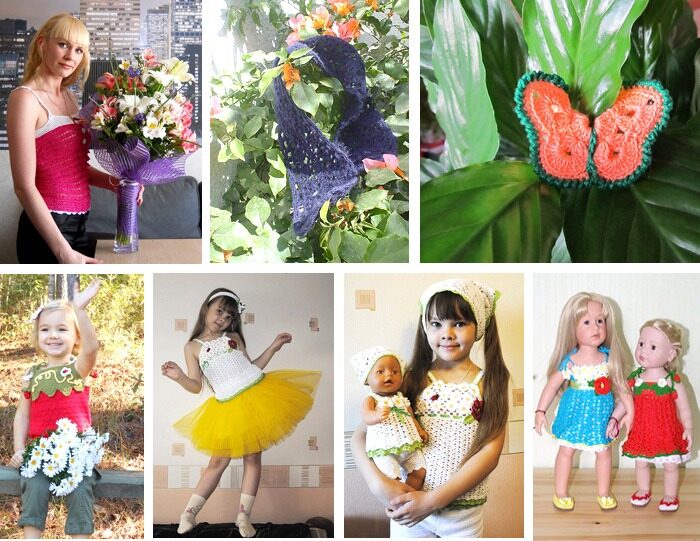
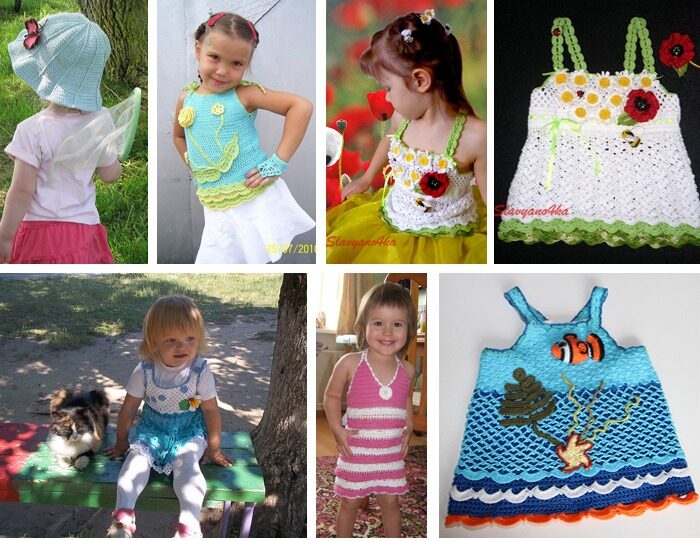
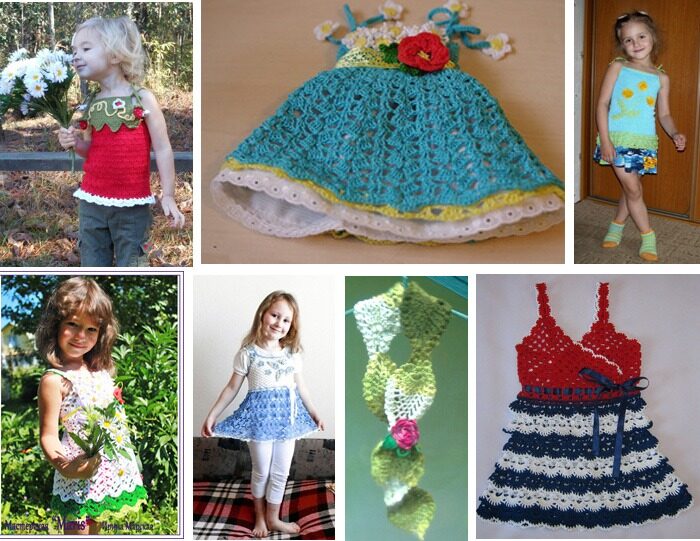
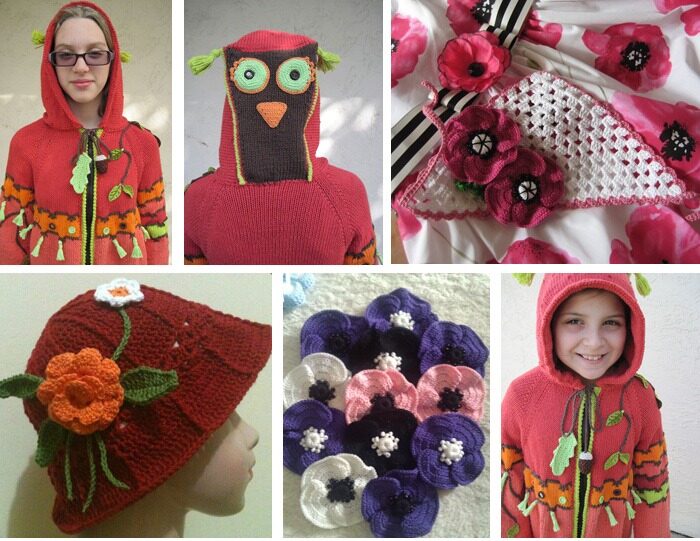
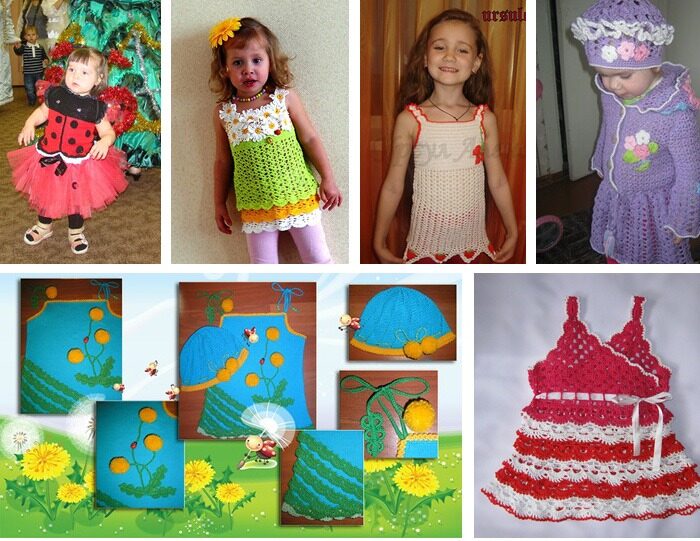
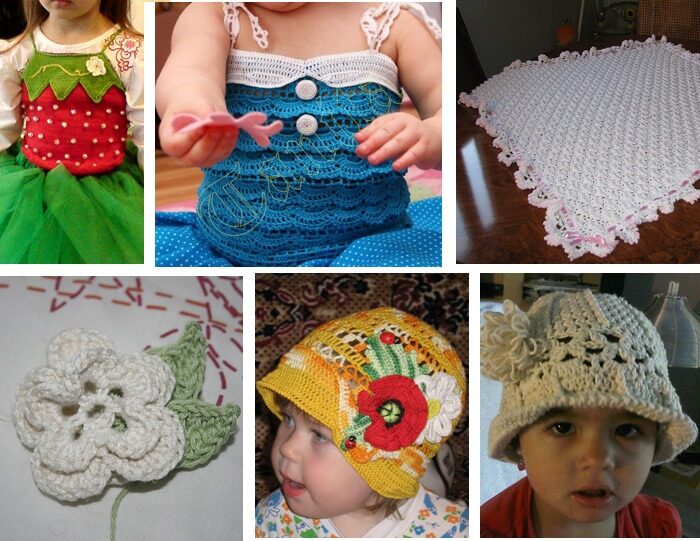
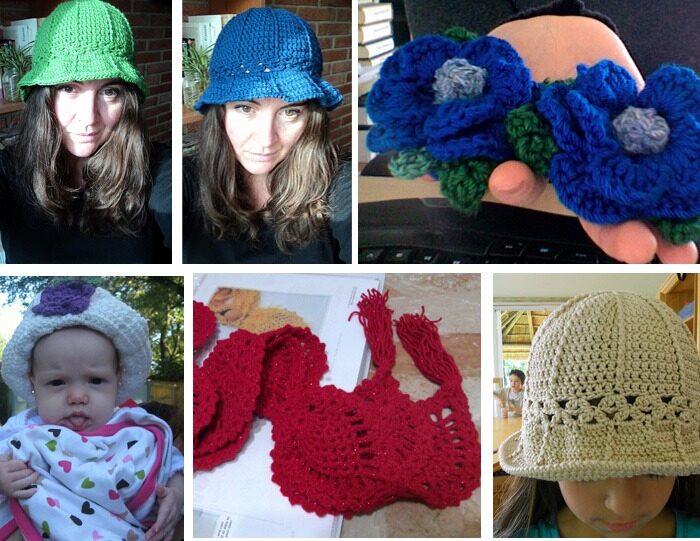
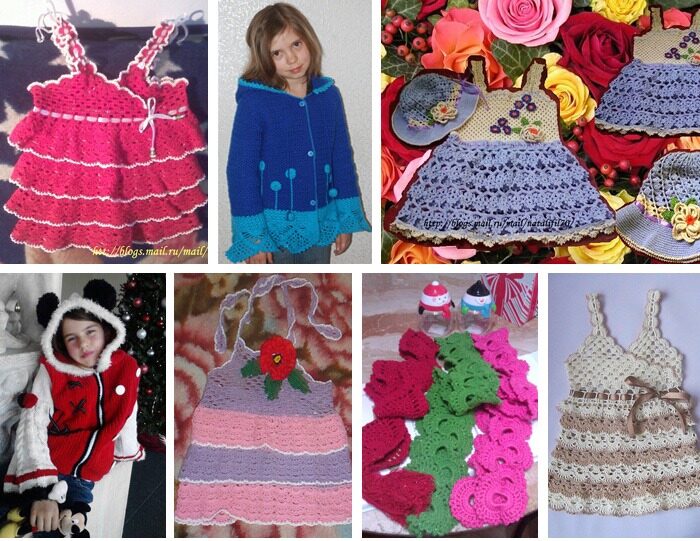
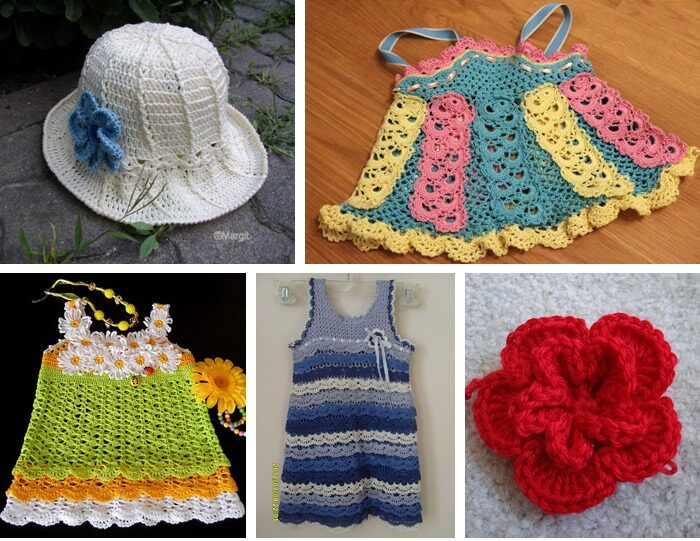
I’ve decided spoil myself a bit this morning and just spent such delightful and pleasant time to update my absolute favorite You made this! page. What a treasure!! If you’ve made something from my patterns or just got inspired by some of my designs, please feel free to share the pictures and I’d honored to show off Your wonderful creations!!
Sunlit Rose. Crocheted Bolero Pattern for Kids Sizes 2-12
| April 17, 2012 | Filled under 2012, Patterns |
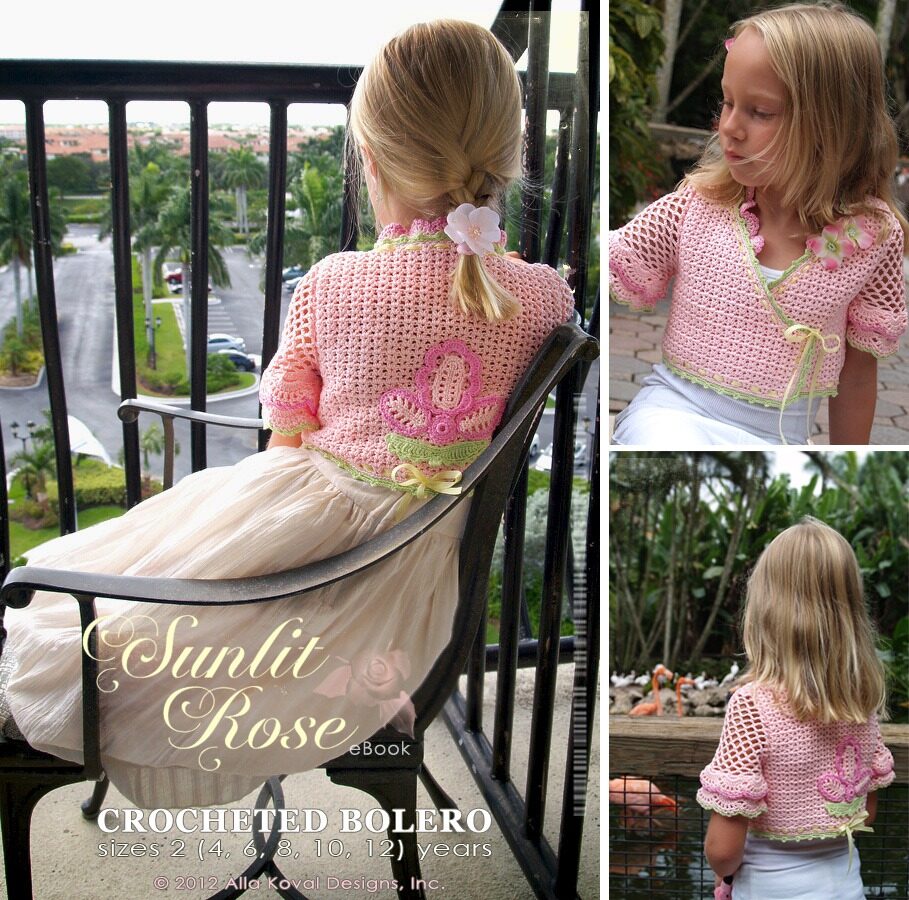
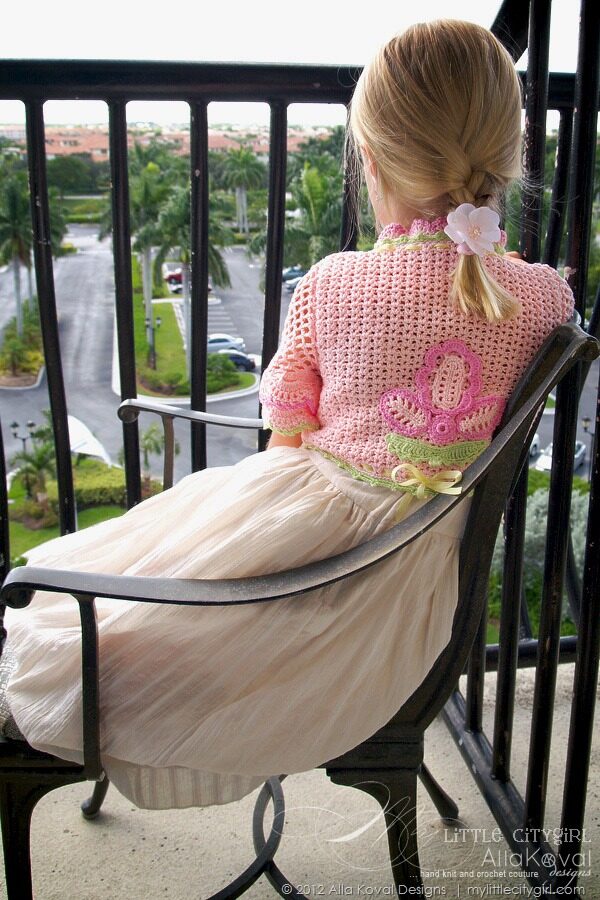
Soft as rose petals at dawn, this bolero is sure to win any little girl’s heart! The cropped bolero features dainty tiered sleeves, overlapping fronts tied with ribbon, and stylish flower accents at the neckline and on the back panel. Better yet, place the accents anywhere you please and make it truly one-of-a-kind! Worked in sport weight yarn, this irresistible piece will be the perfect addition to your little girl’s spring and summer wardrobe.
As you know, now all my patterns not only include links to online stores, where you can purchase all available yarn and supplies used in the patterns with measurements in both metric and US systems, but also each pattern includes very detailed and clear stitch diagrams I started draw with Adobe Illustrator …one more realized dream ;o)
I always loved stitch diagrams – the international language of crochet and knitting not only because they are more clear and easier to read compared to written instructions, but also because the patterns really do not need to be translated to any other language by your requests. They are already worldwide suitable now and with 10 stitch diagrams provided for this pattern written instructions are really necessary… But if you prefer written instructions – sure they are included too (written in US English as all my patterns).
… And as always, now is our traditional little giveaway: first 3 persons, who leave comment on this post will receive any one of these pattern via email in PDF format for FREE!! Good luck and have a Fun!
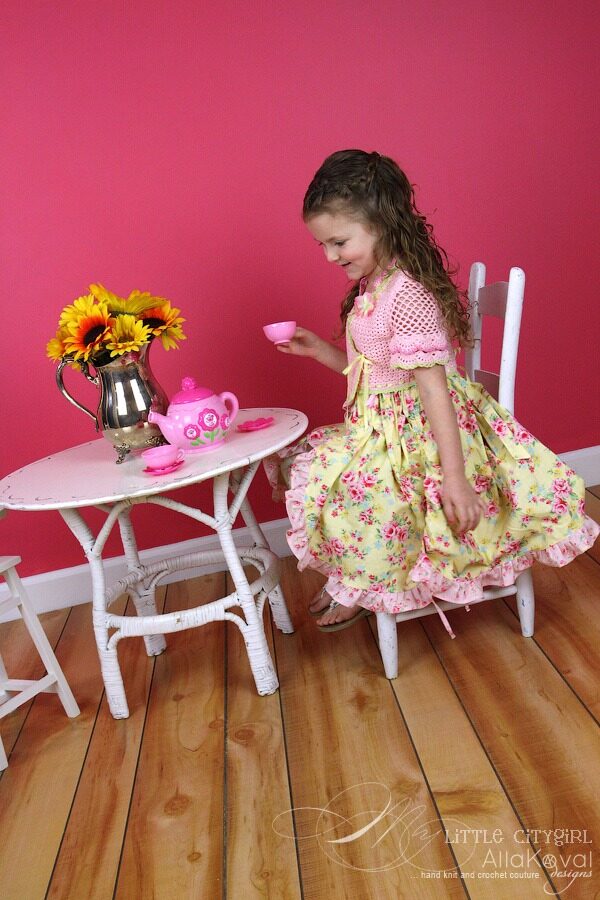
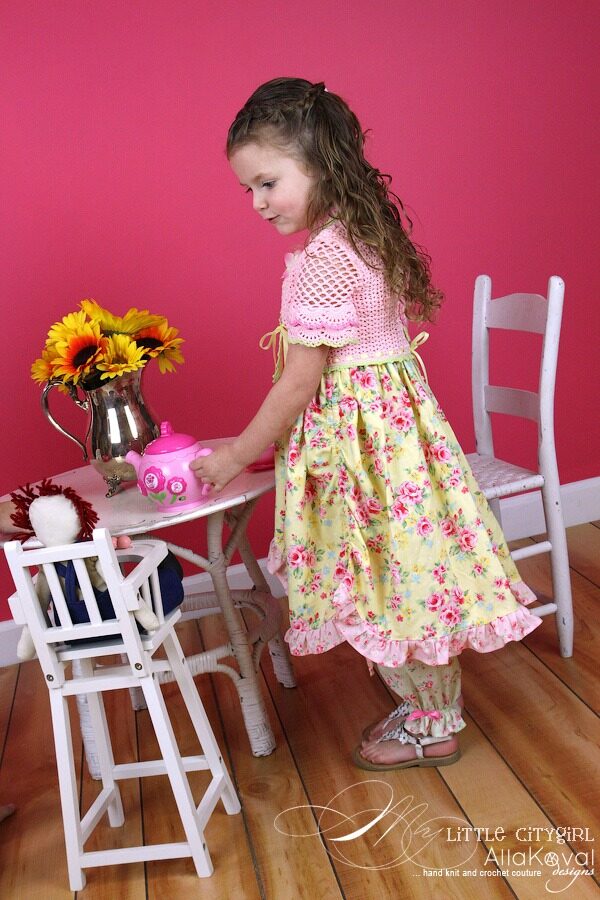
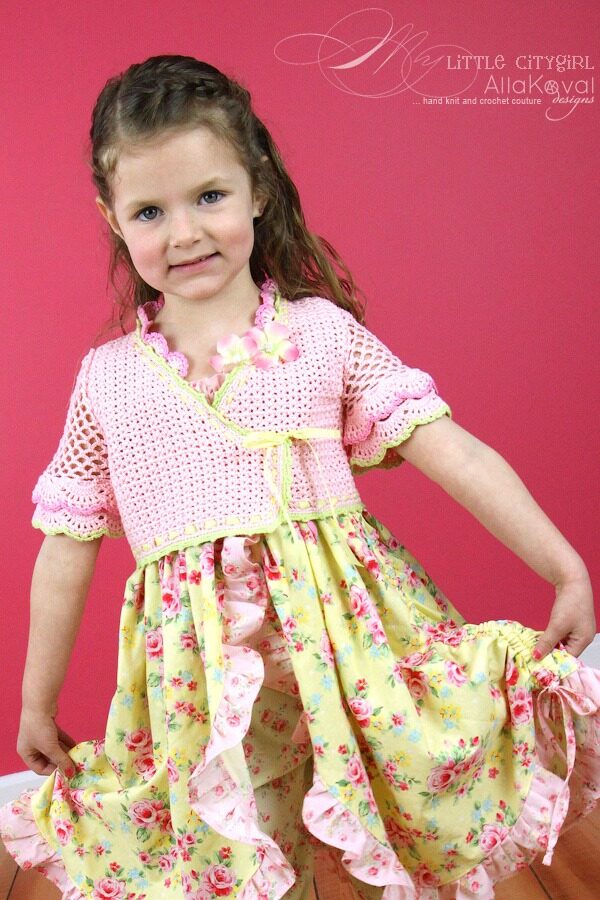
This also was lovely collaboration with my friend and beyond talented French designer Francoise Lama-Solet, who designed the gorgeous dress set. Make sure to visit Francoise’s store to order yours. You will love it!!
SIZES
2 (4, 6, 8, 10, 12) years.
FINISHED HAT MEASUREMENTS
Chest: 23 (25, 26, 28.5, 30, 32)”/58.5 (63.5, 66, 72.5, 76, 81) cm.
Length: 9 (10, 11, 11.5, 12.75, 14)”/23 (25.5, 28, 29, 32.5, 36) cm.
SKILL LEVEL 
YARN
Sport weight (#2 Fine)
shown: Patons Grace (100% Cotton; 1.75 oz (50 g)/136 yd (125 m)): #62416 blush – 3 (4, 5, 6, 6, 7) skeins; #62027 ginger – 1 skein; #62437 rose – 1 skein.
another yarn suggestion: Schachenmayr Catania (100% Cotton; 1.75 oz (50 g)/136 yd (125 m)) #158 rose – 3 (4, 5, 6, 6, 7) skeins.
CROCHET HOOKS
C/2 (2.75 mm); D/3 (3.25 mm) or size needed to obtain gauge.
NOTIONS
0.25” (7 mm) pale yellow satin ribbon – 2.7 – 4 yd (2.5 – 3.6 m).
2” (5 cm) pink silk flower appliques – 2.
Stitch markers.
Tapestry needle for weaving in ends.
GAUGE
8.5 V-sts x 13 rows = 4” (10 cm).
* This pattern involves crochet skills ONLY.
15 pages, 4 pictures, 10 diagrams.

Technical editor: Susan Moskwa
Description: Tin Ambat
Copyright: All rights reserved. Please be respectful of the designer’s rights to this pattern. No portion of this work may be photocopied or reproduced by any means without written authorization from My Little CityGirl. The purchaser of this pattern is granted permission to sell the finished product for profit on a limited basis. © 2012 Alla Koval Designs, Inc. .
This pattern is available in my Shop, Etsy, Raverly, DaWanda, Artfire and YCMT.


Thank heaven for little girls..
| April 11, 2012 | Filled under Etsy, Featured |
Just spotted latest Etsy’s treasures and can’t resist to share some, especially Thank heaven for little girls.. What a parade of sweetness!
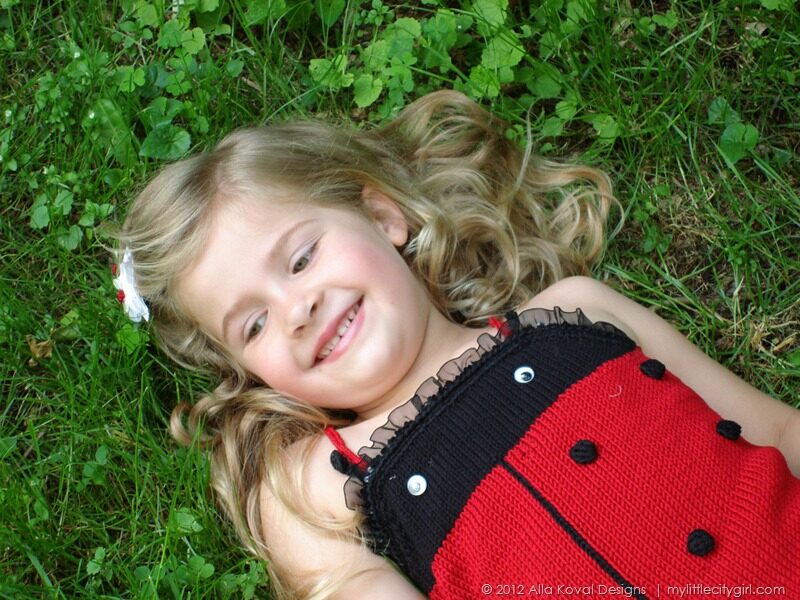
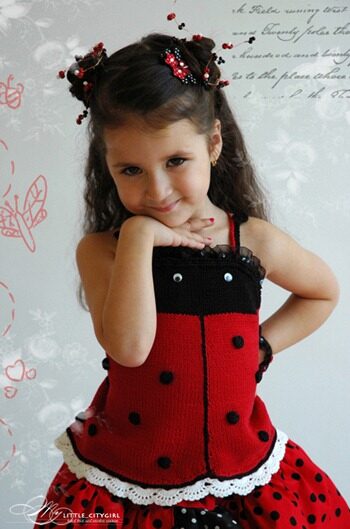
“ ….19 off them…wearing the most beautiful creations “ says Margaret – a curator of this such darling and beautiful collection.
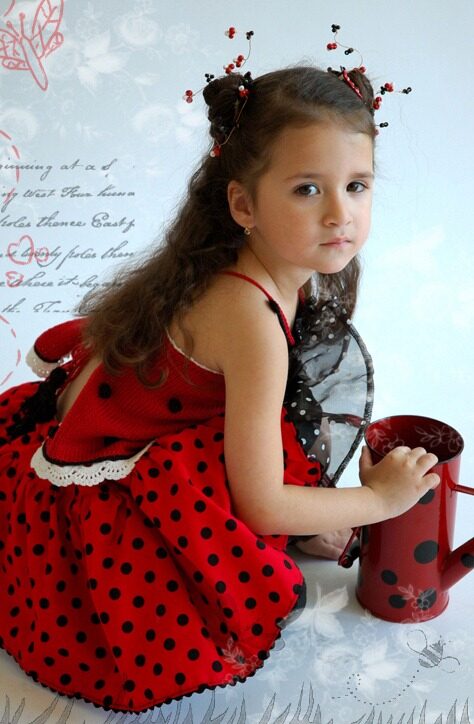
Thank you so much Margaret for including my Ladybug Apron Top pattern.
Another absolutely gorgeous and lovely treasury is Soft and Unique by Pasin. Wonderful finds!
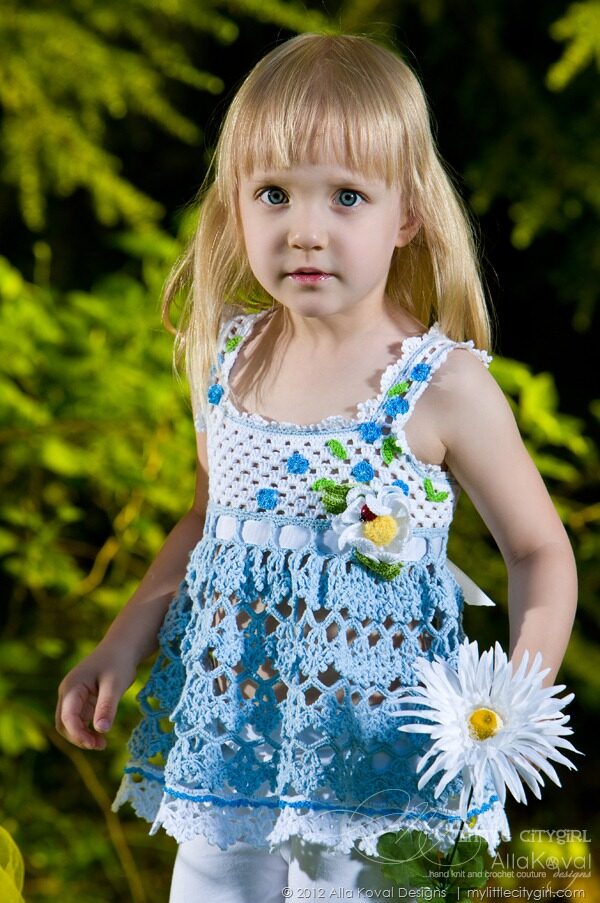
Many thanks for adding the Forget-Me-Not Halter Top pattern.
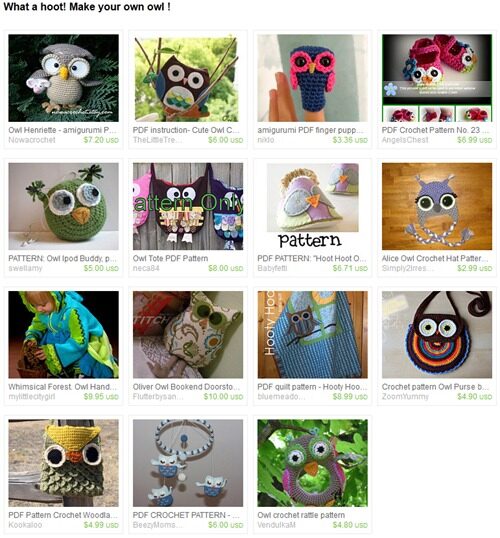
“ Who knew owls were so versatile? Have a hankering to make something funky? Take a look at the patterns for these outstanding owls who double as toys, coin purses, finger puppets, booties, hats, doorstops, quilts, mobiles, rattles, scissor cases, etc. “ as says Melissa Matthews, a curator of What a hoot! Make your own owl! awesome treasury! They are all so adorable!! I love them all.
Thanks so much for including Whimsical Forest Owl jacket pattern in such a great group of Hoots!
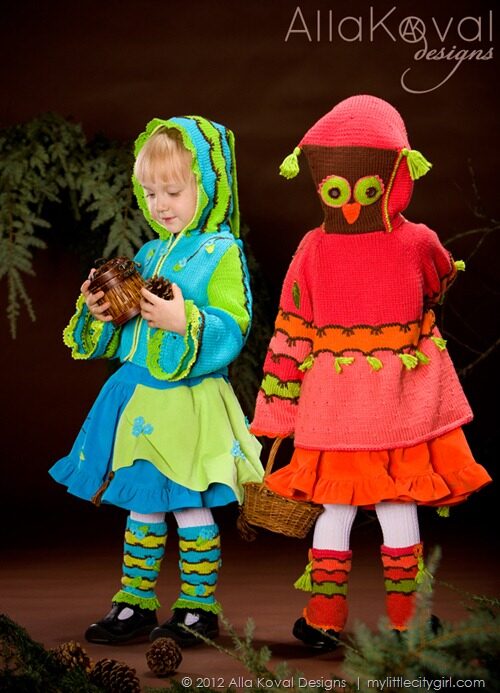
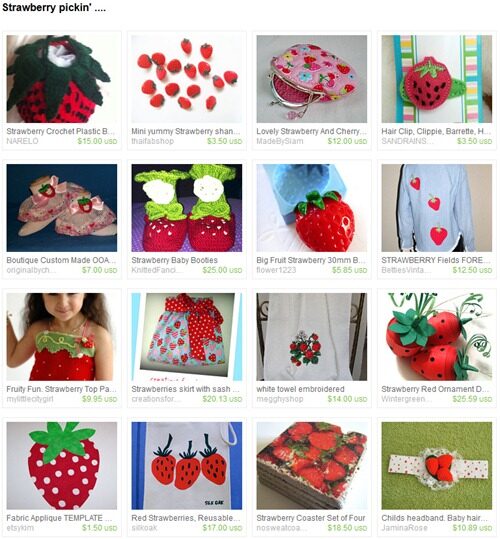
…. And a bit smacks of sunshine and summer ;o) What a wonderful strawberries finds!!
Thanks a lot Margaret for including my Strawberry Apron Top pattern if such sweet and yummy Strawberry pickin’ collection!
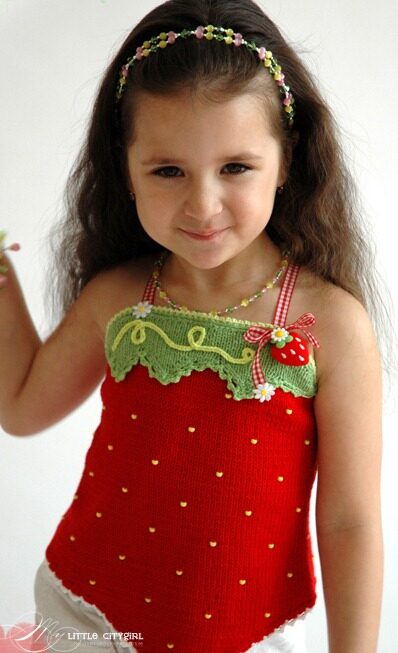
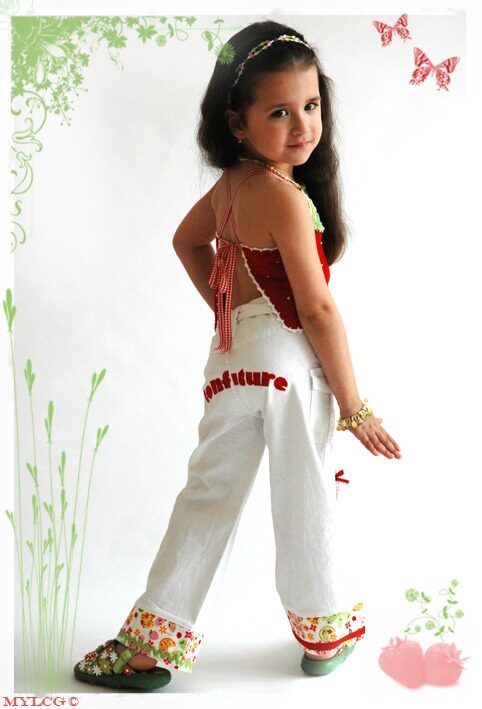
Oh my – I can’t believe it’s Wednesday already… So, I’ll better back to work, but will do my best to find a bit free time in near future to share with you my latest news and probably some sneak peeks… ;o)
Alla Koval Designs
Happy Easter everyone!!
| April 8, 2012 | Filled under Holidays |

Have a Fabulous day with your family and friends!
Alla
Featured Yarn 38. Patons Silk Bamboo. DK Weight
| April 2, 2012 | Filled under Yarn |
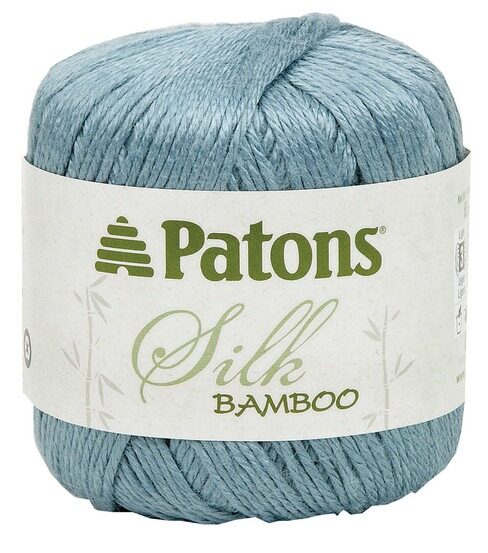
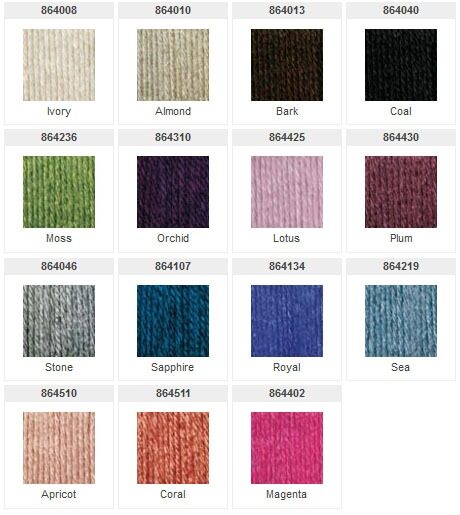
What a lovely yarn I’m working with now for a project for my book (guess which color I’ve chose ;o) If you never worked with Patons Silk Bamboo I would highly recommend this yarn!
- Luxurious blend of silk and Viscose from bamboo—marvelous drape, supple softness and an elegant sheen
- Colors are vivid and on-trend
- Knits and crochets beautifully, stitches slide effortlessly
- Bamboo is an eco-friendly fiber

Fiber Content: 70% viscose from bamboo, 30% silk
Yardage: 2.20 oz (65 g)/102 yd (93 m)
Gauge: 22 sts x 28 rows = 4” (10 cm) with US #6 (4 mm) knitting needles; 16 sc x 20 rows = 4” (10 mm) with G/6 4 mm crochet hook
Weight: DK weight (#3 Light)
 where to buy: Mary Maxim, Knitting Warehouse, eBay … just to name a few.
Butterfly Memories. Crocheted Scarf, Headband & Beyond Pattern for Kids and Adult
| March 19, 2012 | Filled under 2012, Patterns |
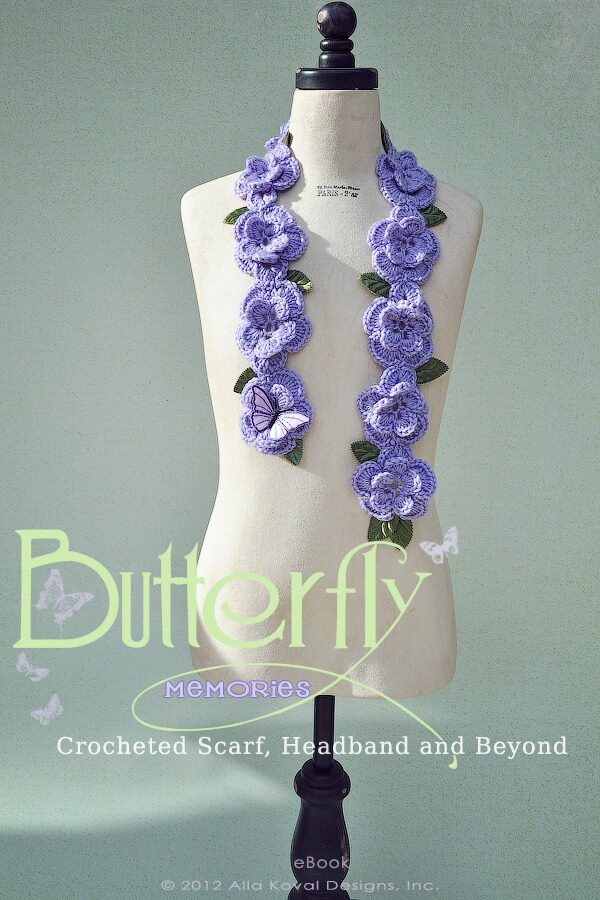
A butterfly needs no more than this:
The sun, the dew and a flower’s kiss.
Give a butterfly a happy memory with this playful scarf and headband, suitable for wearers of all ages! The layered floral motifs are crocheted in one piece with minimal joining and weaving, making this an easy and fun pattern. The scarf can be made using a wide range of yarn weights, from sport to medium and bulky weight yarns, for any season or occasion. Work it in jewel tones or pastels, in solid colors or softly variegated shades for a one-of-a-kind accessory. Trim it as you wish with tiny leaf appliqués, sparkling beads, glittery sequins, or with a myriad of miniature butterflies to delight the eye. You can also wear it with one or more pins made from my free Papillon pattern. This pattern is very versatile. Try making a bracelet by using a stretchy yarn and create a tube or crochet flat and secure with a nice button or jewelry findings.
Also, I am so excited and proud to offer you my very first pattern in a new style! From now, all my patterns are including links to online stores, where you can purchase all available yarn and supplies used in the patterns, measurements are available in both metric and US systems, but my most favorite part – it’s very detailed and clear diagrams I started draw with Adobe Illustrator. I call my patterns “international” or “worldwide” suitable now, because if you are good with symbol diagrams, you really do not need written instructions anymore – the symbol diagrams are detailed enough to complete a project!
… And as always, now is our traditional little Giveaway: first 3 persons, who leave comment on this post will receive this pattern via email in PDF format for FREE!! Good luck and have a fun!
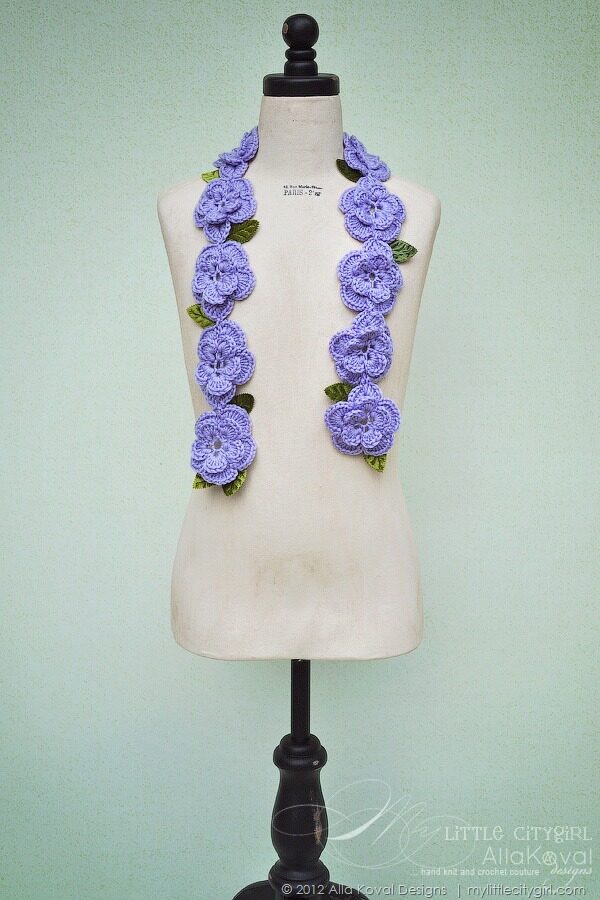
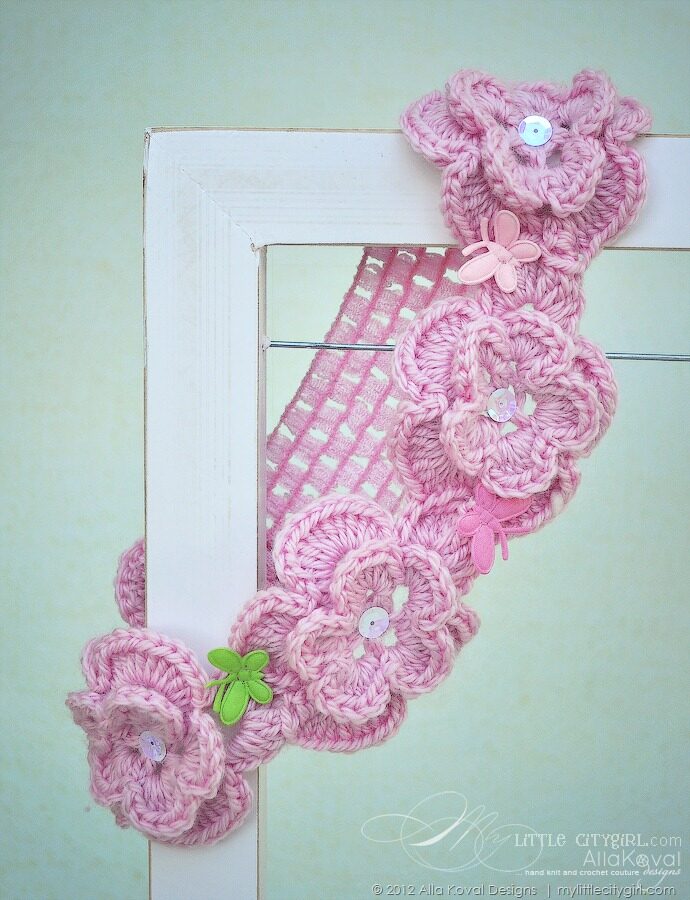
PATTERN NOTES
Instructions are given for both worsted weight and DK weight yarn.
FINISHED SCARF MEASUREMENTS
3” (7.5 cm) [DK: 2.5” (6.5 cm)] wide by 33” (84 cm) long (without leaves).
FINISHED HEADBAND MEASUREMENTS
3” (7.5 cm) [DK: 2.5” (6.5)] wide and 19” (48 cm) in circumference (unstretched).
SKILL LEVEL
YARN
• Worsted weight (#4 Medium)
shown: Cascade Yarns Pacific (40% superwash merino wool, 60% acrylic; 213 yd [195 m]/3.5 oz [100 g]) #26 lilac – 1 skein.
• [DK: DK weight (#3 Light)]
shown: Cascade Yarns Cash Vero DK (55% merino extra fine wool, 33% microfiber; 12% cashmere; 1.75 oz (50 g)/125 yd (114 m)) #013 – pale pink – 2 balls.
NOTIONS
• Sewing needle and thread.
• Tapestry needle for weaving in ends.
For scarf:
• 2” (5 cm) padded velvet leaf appliqués in green – 12-15.
• 3” (7.6 cm) butterfly appliqués.
For headband:
• 1.6” (4 cm) wide by 4” (10 cm) long elastic.
• 1” (2.5 cm) padded satin butterfly appliqués – 4.
• 0.4” (10 mm) pearl on white sequins – 4.
GAUGE
1 motif = 3” (7.5 cm) [DK: 2.5” (6.5 cm)] in diameter.
* This pattern involves crochet skills ONLY.
6 pages, 4 pictures, 6 diagrams
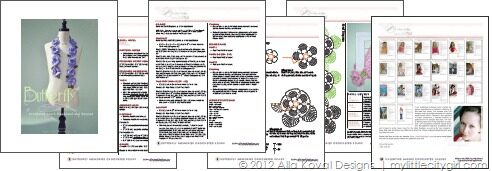
Technical editor: Susan Moskwa
Description: Tin Ambat
Copyright: All rights reserved. Please be respectful of the designer’s rights to this pattern. No portion of this work may be photocopied or reproduced by any means without written authorization from My Little CityGirl. The purchaser of this pattern is granted permission to sell the finished product for profit on a limited basis. © 2012 Alla Koval Designs, Inc. .
This pattern is available in my Shop, Etsy, Raverly, DaWanda, Artfire and YCMT
And just a reminder: To celebrate National Crochet Month, I’m offering a sale for the entire month! Use code MARCH25 in my Shop and Ravelry (and MARCH2012 in Etsy shop only) to receive 25% off your purchase.
Its’ a coming … Spring!
| March 17, 2012 | Filled under Etsy, Featured |
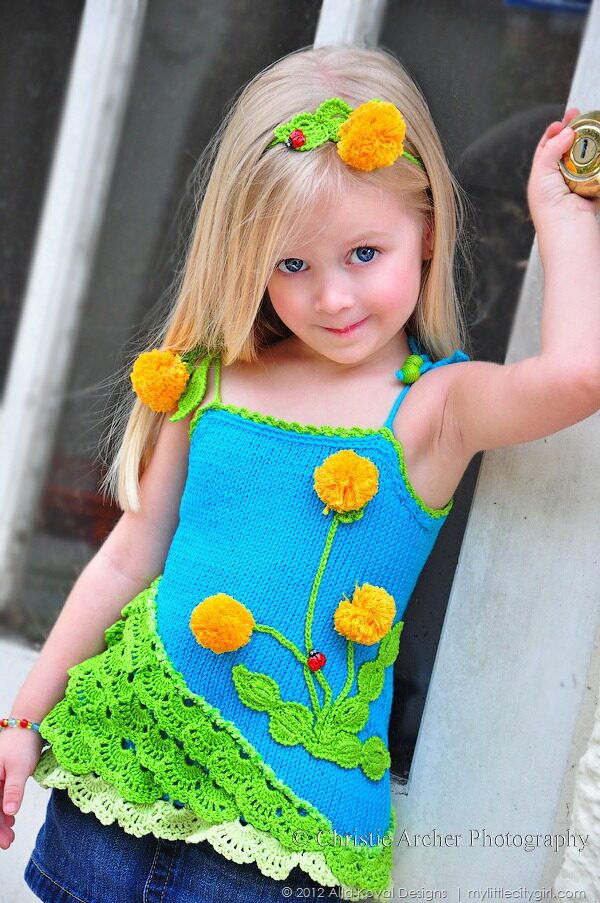
“… Rain and gales here at the minute… but Spring is coming! cant wait:))” says Margaret, a curator of such cool and beautiful Its’ a comin’ …Spring!! treasury. Oh, roll on Spring PLEASE! I feel more than ready for spring and can’t wait for warn and sunny days if it possible here in Seattle anymore ;o)
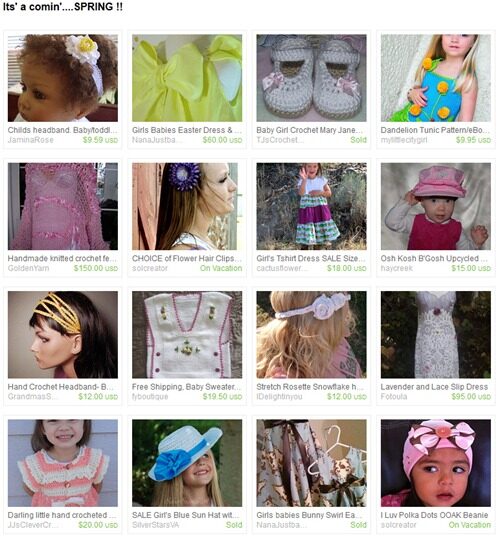
Thank you so much Margaret for including my Dandelion Tunic Pattern.
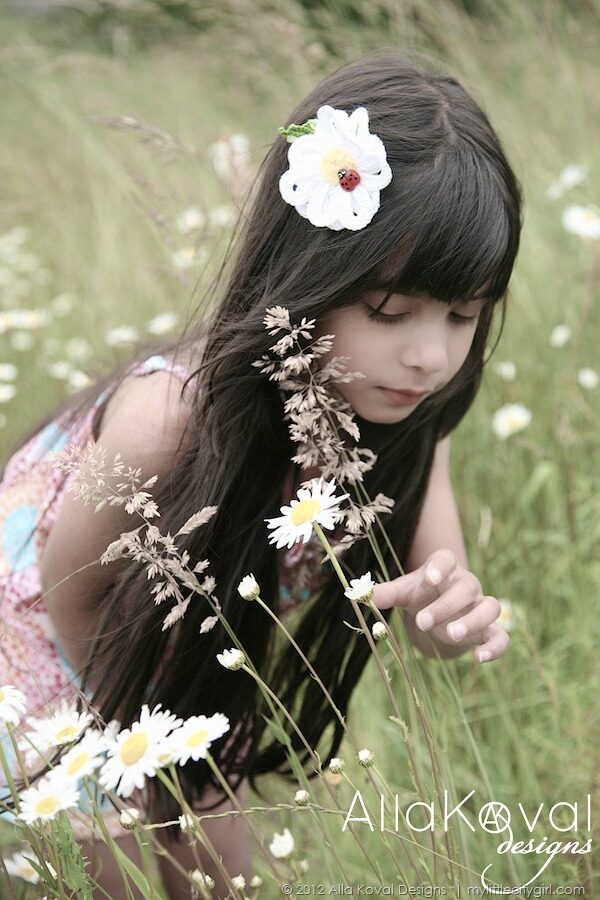
This whole Grass Fields and Daisies collection makes me happy! Love the daisies and happy yellow! Also the Daisy Pin Pattern was included in such fun and wonderful The spider wove its web… treasury.
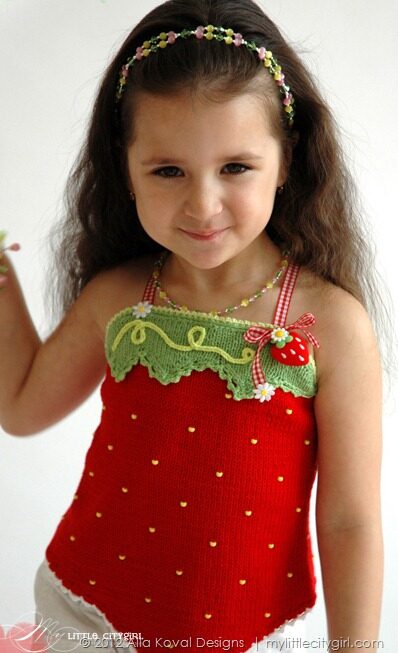
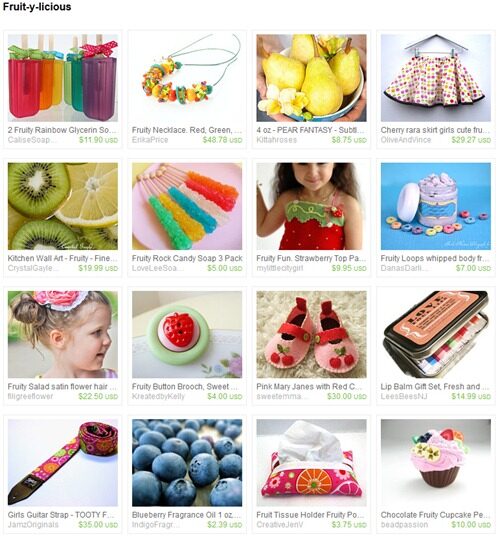
What a juicy and Fruit-y-licious this Etsy treasury! Many thanks Dorothy for including my Strawberry Apron Top Top Pattern.
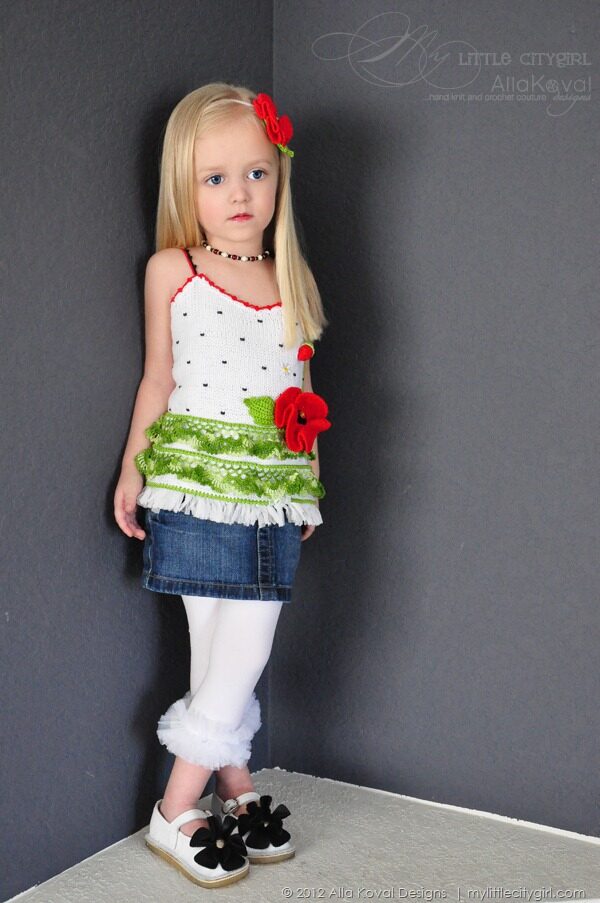
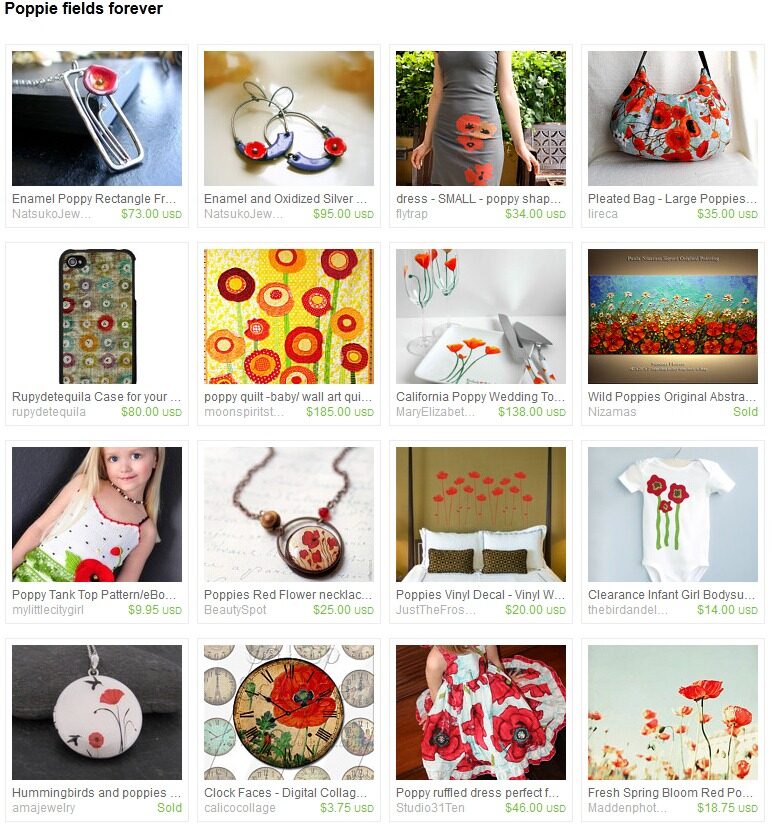
Poppies are such a popular flower and make every item warmer. What a gorgeous and bright Red Poppy and Poppie fields forever collections! Thank you so much for including my Poppy Top pattern.
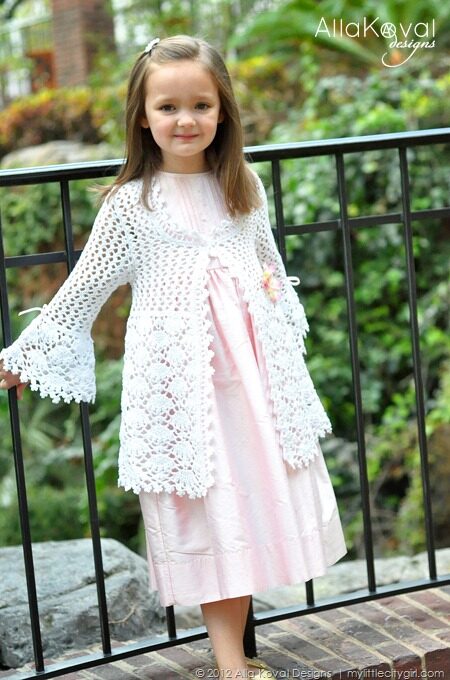
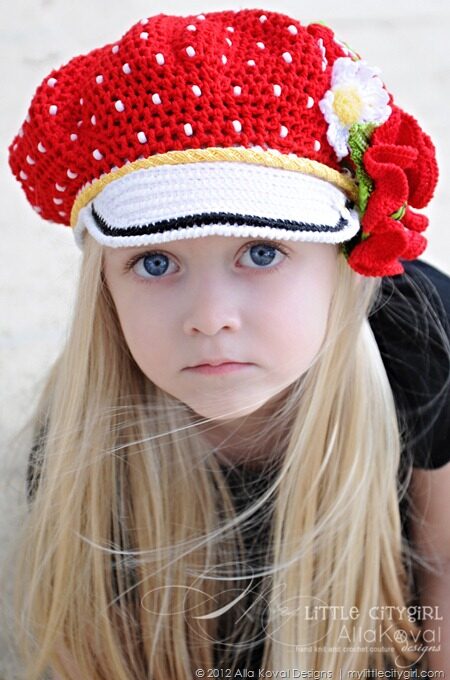
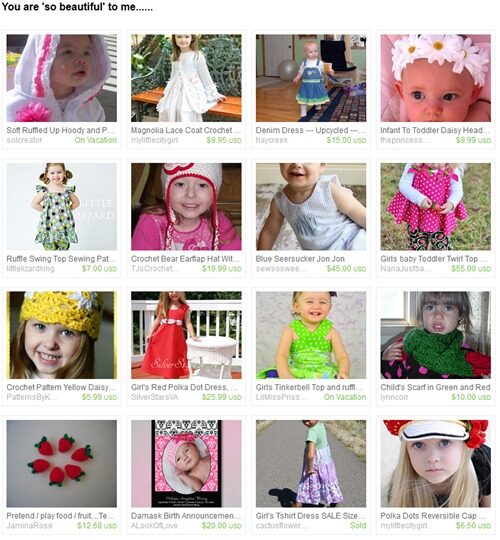
And my Magnolia Lace Coat and Polka Dots Cap patterns was featured in such darling and sweet And You are ‘so beautiful to me… treasury. Aren’t they just?! :o) Thank you so much Margaret!
In the other news… This afternoon we are going to Vancouver, BC, Canada (our daughter participates in Planet Rhythmics Invitational 2012 competitions in rhythmic gymnastics) and will be back late evening Sunday, 18th. I’m leaving my stores open and will do my best to manage all purchases as soon as possible. For immediately download my patterns are available in my Shop, Raverly and YCMT shops. Please be patient with me if here is some delay with response.
A wonderful and sunny weekend everyone!!
You Can Make This. $5 Deals
| March 13, 2012 | Filled under Featured |
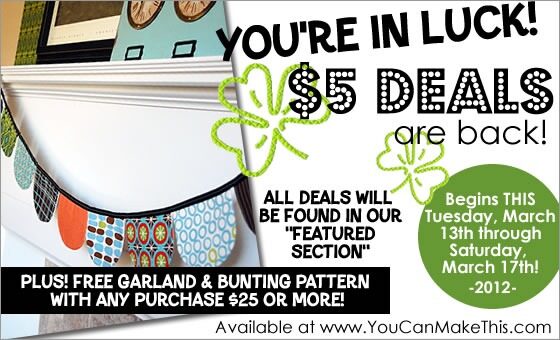
YCMT is doing again a big $5 Sale and this time it’s huge! And, it’s on right now!
Over 100 great patterns and projects are on sale for only $5, giving you savings of up to 75% on some! However, it will end this Saturday, March 17th.
Plus, when your order totals $25 or more, you will receive a free Garland and Bunting pattern. It will automatically be added to your order.
"So, how do I find these deals?" you may be asking…
It’s easy! All of the patterns and projects that are part of the $5 Sale added to the Featured Products category. You can click the link below to visit that section.
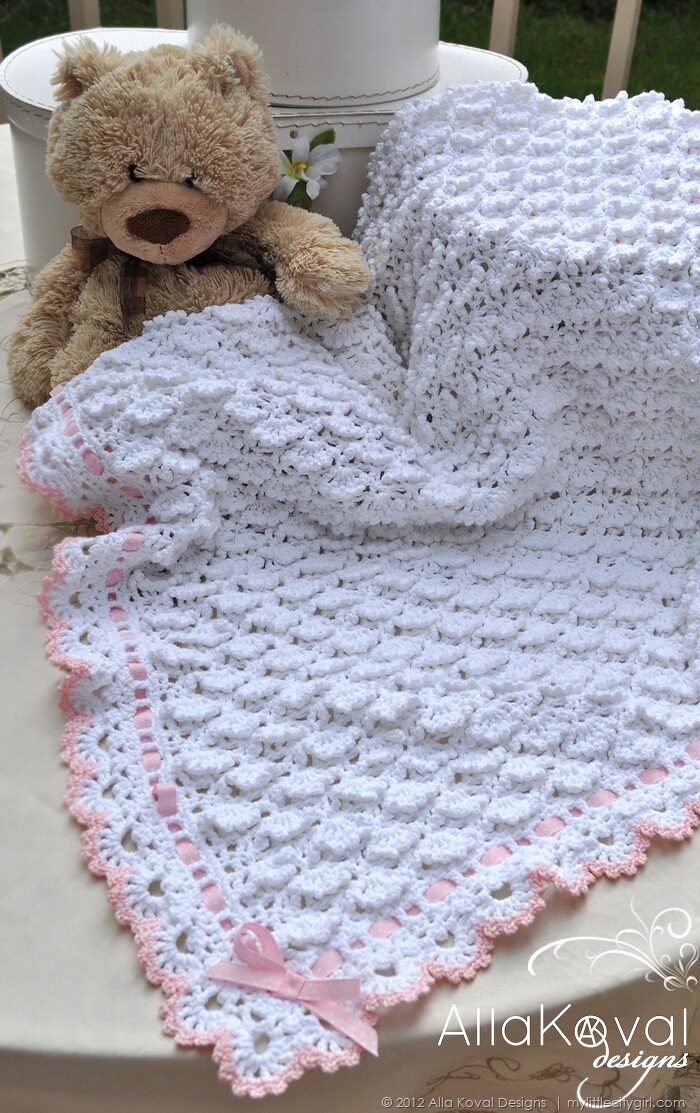
There are several pages of deals to look through! You might also want to try using the sorting options at the top of the page and increase the Items per Page – there is a lot to see! I was invited to join and gladly offering you my Fluffy Clouds Baby Blanket pattern for this such great event!
Enjoy!
Happy Tuesday everyone!!
National Craft Month: March & Giveaway
| March 3, 2012 | Filled under Giveaway, Holidays |
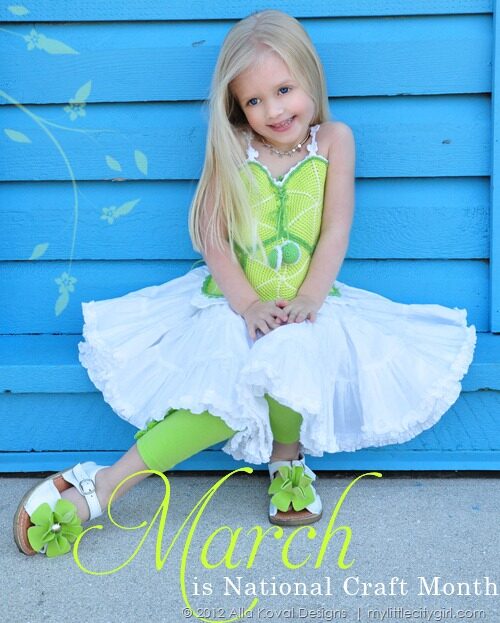
Did you know that National Craft Month has become an international celebration? Created by the Craft & Hobby Association in 1994, it was designed to help people learn about and re-discover the joy of crafting and all its many benefits. It’s the perfect excuse to indulge in all things crafty.
What can you do to celebrate?
- One of the best ways is to teach someone to knit or crochet—everyone can benefit from taking up knitting and crocheting.
- Finish one of those knit or crochet projects you have hiding in the closet. You’ll really feel like celebrating when it’s done.
- Wear your handmade creations. Make a gifts for your friends.
- Learn to do a new stitch or try a new yarn and post it on your blog.
- Enjoy seeing and sharing with other knitters and crocheters. Join an on-line group with people who enjoy yarn.
- Throw a National Craft Month Party.
- Share with your crochet and knitting friends My Little CityGirl and the deal, I’m offering.
To celebrate National Crochet Month, I’m offering a sale for the entire month! Use code MARCH25 in my Shop and Ravelry and MARCH2012 in Etsy shop to receive 25% off your purchase.
Enjoy!
Trade Secrets à la Koval. Crochet Symbol Charts with Adobe Illustrator CS5
| February 26, 2012 | Filled under My Book, Trade Secrets à la Koval, Writing a book |
Even if I get asked a lot about how I draw my crochet diagrams, just about a week ago I started to use Adobe Illustrator and I really can’t describe how I’m happy with this drawing software and with a new and exactly look of my diagrams I wanted!! And as I promised, I’m so glad to share some helpful links and tips, which helped me a lot. So, let’s go!
Get started
If you don’t have this software, you may want to try trial version of Adobe Illustrator® CS5 first, which is fully functional and offers every feature of the product for you to test-drive. To get started, I would highly recommend Illustrator CS5 Essential Training by lynda. Take your time to watch this course, which includes a detailed explanation of the elements that make up vector graphics, and shows how to use each of Illustrator’s drawing tools. It’s really matters to pass first learning bumps and get comfortable with Ai tools first of all.
Creating crochet charts
To create the charts you will need a library of crochet symbols first of all. You have two options: create your own or purchase a crochet font like StitchingCrochet (or ready-made library if any is available for sell). Below are links to amazing video tutorials how to create diagrams in rounds using StitchinCrochet font by BayviewPaula (sure this technique will work for your custom created symbols too):
StitchinCrochet Tutorial: Part 1
StitchinCrochet Tutorial: Part 2
StitchinCrochet Tutorial: Part 3
StitchinCrochet Tutorial: Part 4
StitchinCrochet Tutorial: Part 5 (final)
Many thanks to Paula for such helpful and clever tutorials! It’s really everything you need to know for creating your very first crochet charts.
Making a library of crochet stitch symbols
Creating your own library of stich symbols makes a sense for several reasons:
- Custom style (stroke weight, cap, corners, etc.)
- Flexibility of work with symbols (to transform, change proportions):

- Ability to create any customs groups of symbols like petals, shells, etc.
- Create all symbols you needed (StitchingCrochet has most of them, but not all). Well, you may use both: font and partial library to adjust styles.
- Using cool tools (like Blend tool), which doesn’t work with fonts.
Amie, from Nexstitch, has great detailed tutorials on using Adobe Illustrator to create symbols and diagrams on her blog.
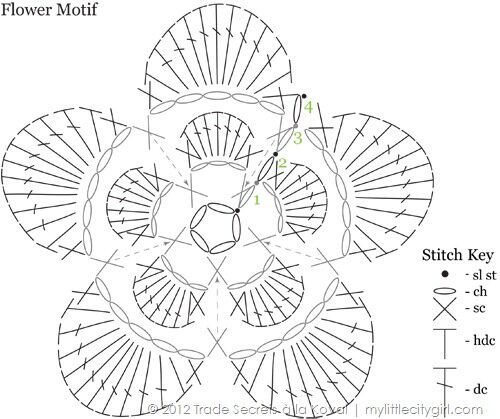
Below is a part of my library of symbols, which were created with Line Segment tool  and Ellipse tool
 . Make sure the symbols have same Width (mine are 25 px wide) and proportional Height values (sc – 25 px, hdc – 50 px, dc – 75 px, etc.). New Width and Height values can be specified in the Control panel at any time if needed.
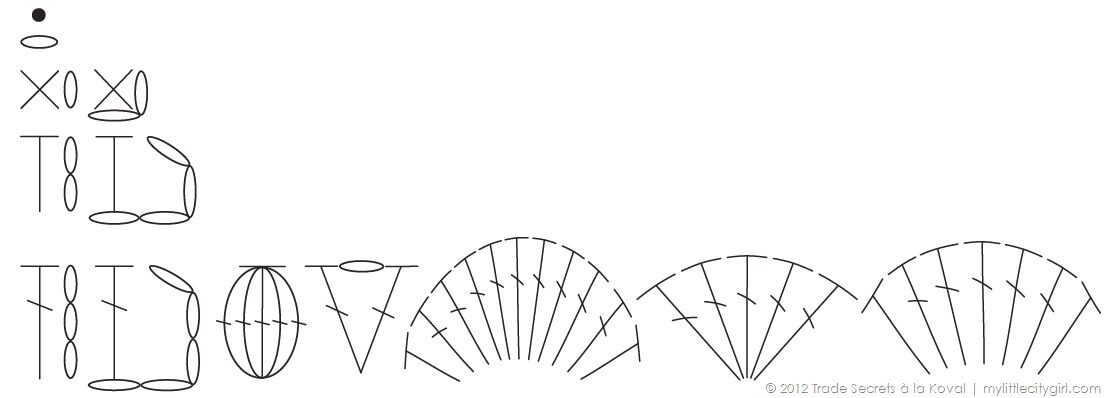
Creating Shells
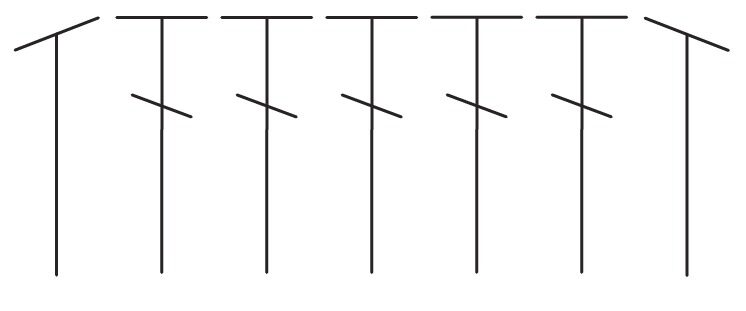
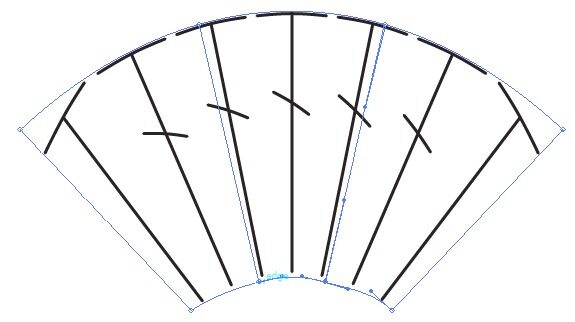
Probably there are other and more easy ways to do that, but so far I made Shells by using Envelope Distort.
1 Create a group of 5 dc and 2 hdc, transformed as shown below (click pictures to enlarge).
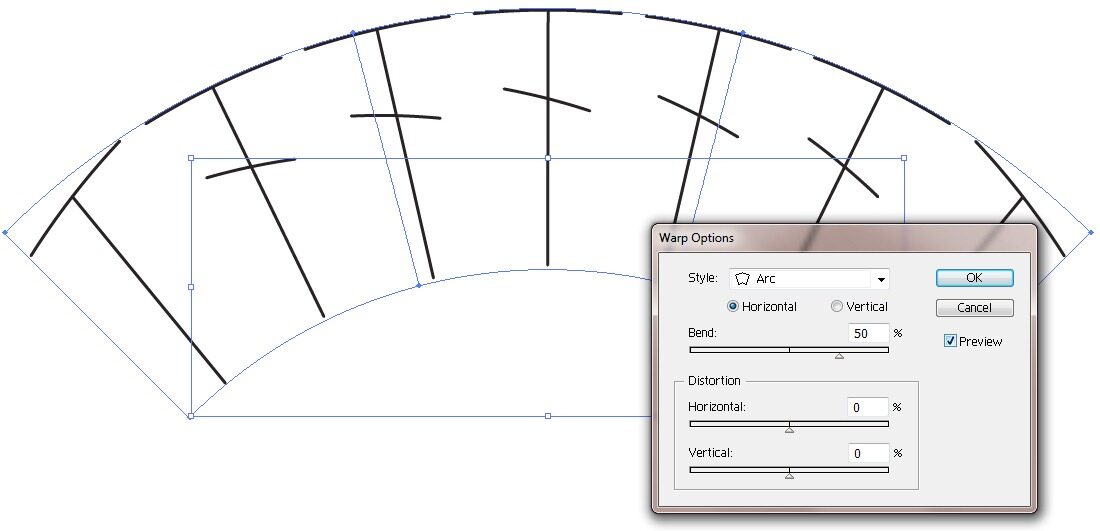
2 Select all elements with Selection tool  and go to Object > Envelope Distort > Make with Warp. In the Warp Options dialog box, select a warp style Arc. Click Preview check box to see the changes.
3 Change Bend and Vertical Distortion parameters to get shape close to this (Blend: 30%, Vertical: –34%).
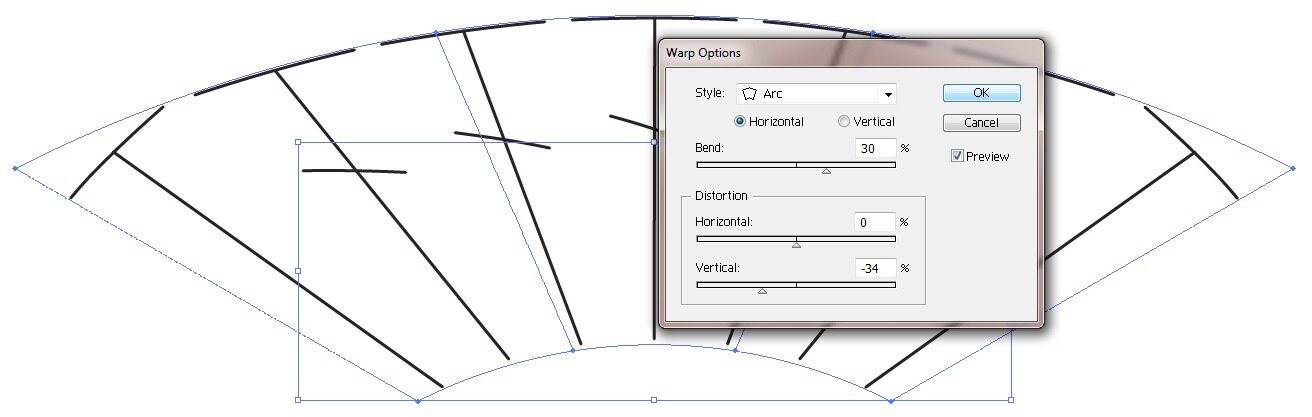
4 Adjust size as desired. To reshape the envelope, drag any anchor point on the envelope with the Direct Selection tool  if needed.
Creating charts of a row projects
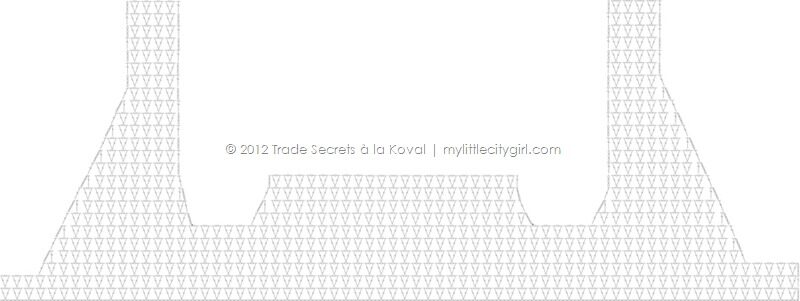
I work on Sunlit Rose Bolero pattern now and will show you one of the ways how to create diagram in rows, especially if row is 193 sts wide.
NOTE: I work on a PC in Adobe Illustrator CS5. The set up on a Mac looks a little different and the keyboard shortcuts are different too.
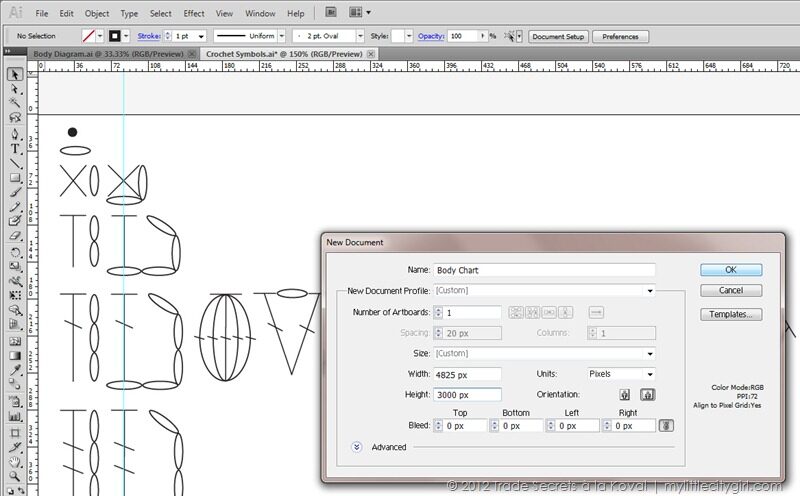
1 Open up a new document File > New. Call it “Body Chart” for example.
Set up options:
- New Document Profile. Choose Custom.
- Size of document. To calculate a Width of document (important for Blend tool), simple multiply a width of ch (25 px) by number of chains (194): 25 px x 193 = 4825 px. For a High – set up 3000 px (it can be easy changed at any time if needed). Click OK.
2 Creating beg ch of 193 chs with Blend Tool.
First, start out by copy (Control + C)/pasting (Control + V) a chain stitch from a library of symbols to Body Chart document. Mine is called Crochet Symbols.ai (see screenshot below – highlighted in green). Zoom in to see it closer (look in the bottom, left corner of the workspace). Select a chain stitch with Selection tool  and move a chain to lower left corner by set up next options:
- Reference Point (click at lower left corner of Reference Point icon)
- Set up X and Y value: X=0 px; Y=3000 px . This first chain is start of the blend.
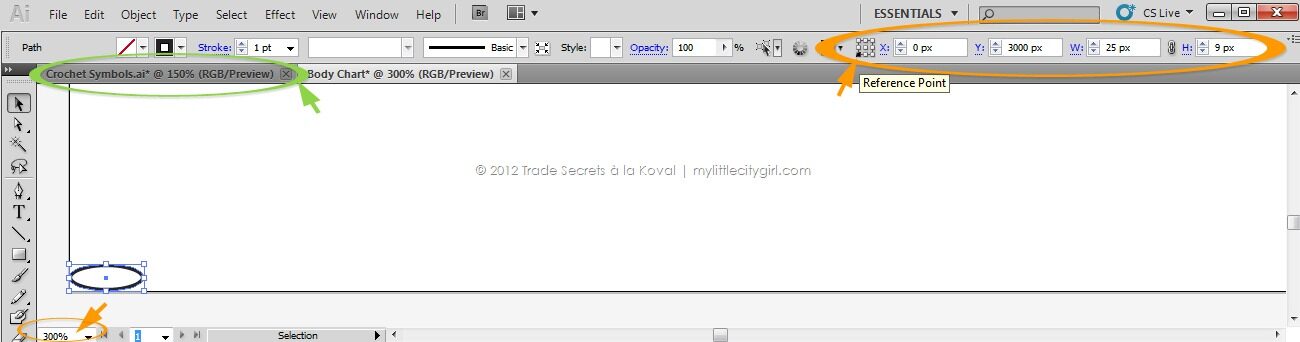
3 Duplicate a chain by pasting (Control + V) or by dragging (my absolute favorite tool so far!): select a chain and Alt‑drag (Windows) or Option-drag (Mac OS) the selection. Set up for second chain (end of the blend): X=4800 px (4825 – 25); Y=3000 px. Set blending options by double-clicking the Blend tool  or choosing Object > Blend > Blend Options. Spacing determines how many steps are added to the blend. Choose Specified Steps and set up 191 (2 chains we have already). Click OK.
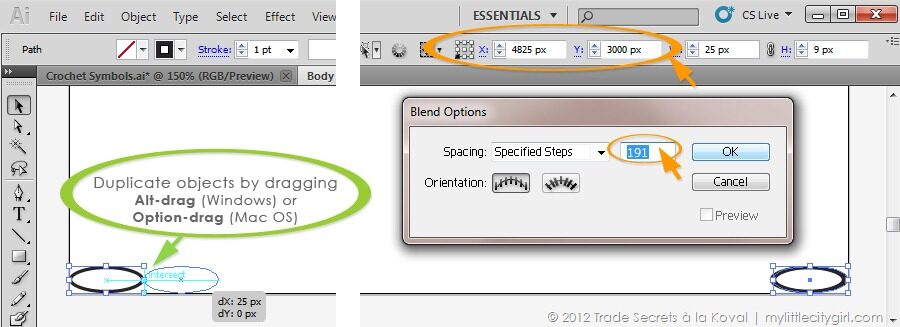
4 Select both objects (chains). Choose Object > Blend > Make. Beginning chain is complete. Change layer name to Ch 193 or Beg Ch. Block layer to prevent any accidental changes (optional).

Some more ideas of using Blend tool. Add new layer. Rep steps 2-3, but with dc stitch and set up Spacing > Specified Steps = 95. Then choose Object > Blend > Make. You will get dc located in “every other” order.

Then create new layer. Rep steps steps 2-3, but with chain stitch placed between first two (X=25 px) and last two dc (X=4800 px). Set up Spacing > Specified Steps = 94. Then choose Object > Blend > Make. You got a row of Mesh pattern in a minutes, don’t you! Yes, you are right – here should be a beginning ch-4, but I’m not finished ;o) So, let’s go back to our Body Chart.

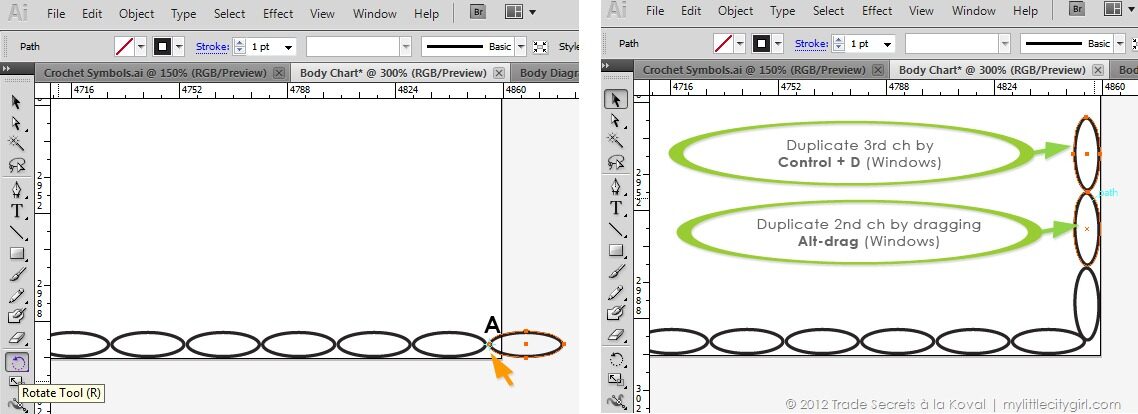
5 To add beg ch-3, you need to resize the artboard (add extra width value to the right). Select the Artboard tool  , click to select an artboard. To resize the artboard, position the pointer on an edge or corner until the cursor changes to a double-sided arrow, and then drag to adjust. Or, specify new Width and Height values in the Control panel.

6 Add new layer and name it Row 1. Copy (Control + C)/pasting (Control + V) a chain stitch from your “library of symbols” to Body Chart document. Align a chain stitch to the beg chain (you should see the word, “intersect” in blue).
Select the Rotate tool  .
- To rotate the chain around point A, click once in the document window in point A to reposition the reference point. Then move the pointer away from the reference point and drag in a circular motion, holding down Alt (Windows) after you start to drag.
- Duplicate 2nd chain by dragging Alt-drag (Windows).
- Duplicate 3rd chain by pasting (Control + D). Group beg ch-3.
7 Copy (Control + C)/pasting (Control + V) a dc stitch (Wight value = 25 px, Height value = 75) from a library of symbols to Body Chart document. Set up: X=0 px, Y= 2990 px.
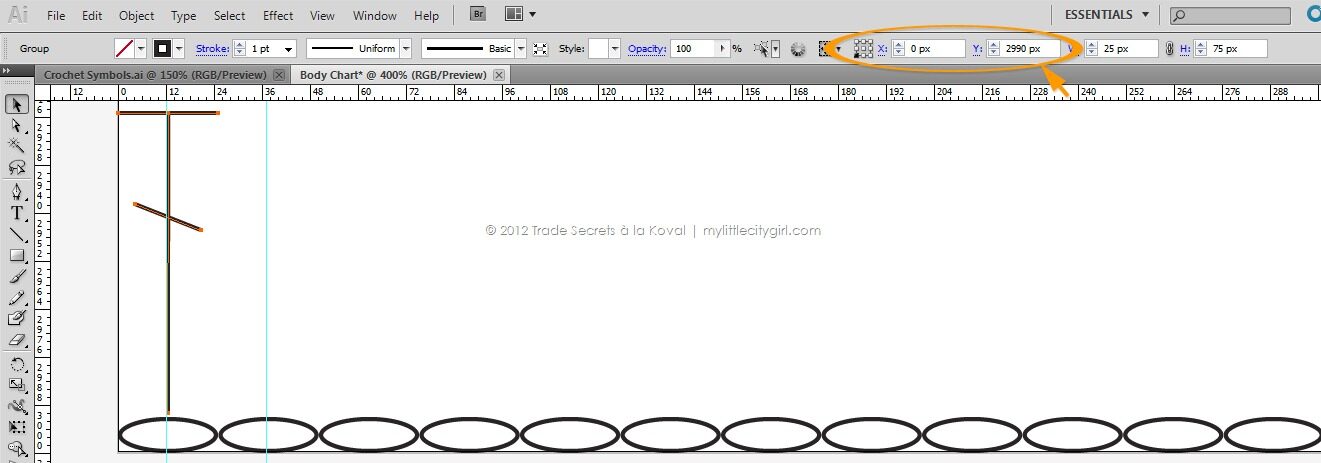
8 Copy (Control + C)/pasting (Control + V) a V-st stitch (Wight value = 75 px, Height value = 75) from a library of symbols to Body Chart document. Set up: X=25 px, Y= 2990 px. Adjust Width and Height values of V-st: Width = 70 (to make a space between V-st symbols of 2.5 px from each side); Height = 75 px. Adjust Height value of dc: Height = 71 px.
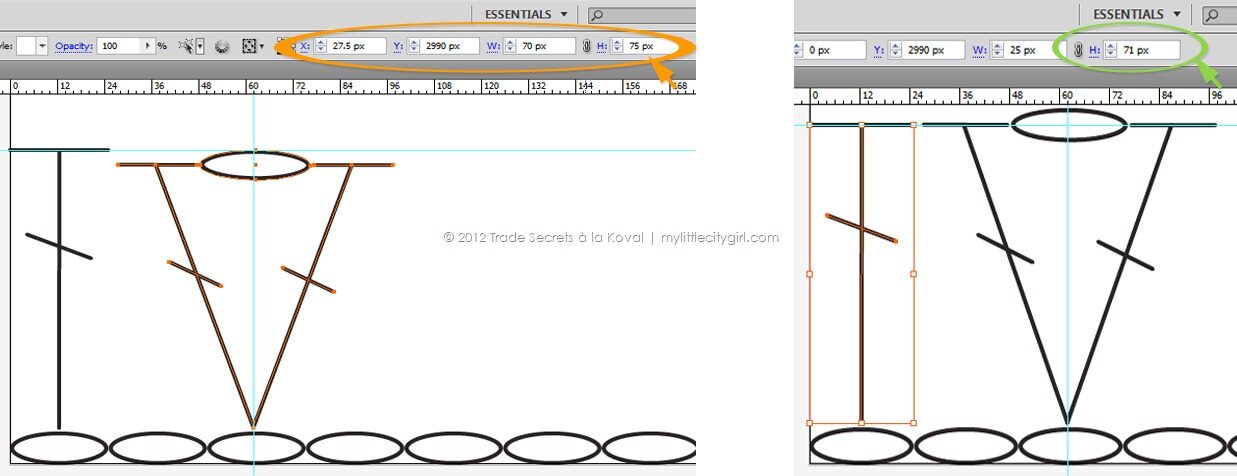
9 Duplicate V-st by dragging Alt-drag (Windows). Change Reference Point by clicking at right lower corner of Reference Point icon. Set up for V-st: X=4822.5 px, Y= 2990 px.
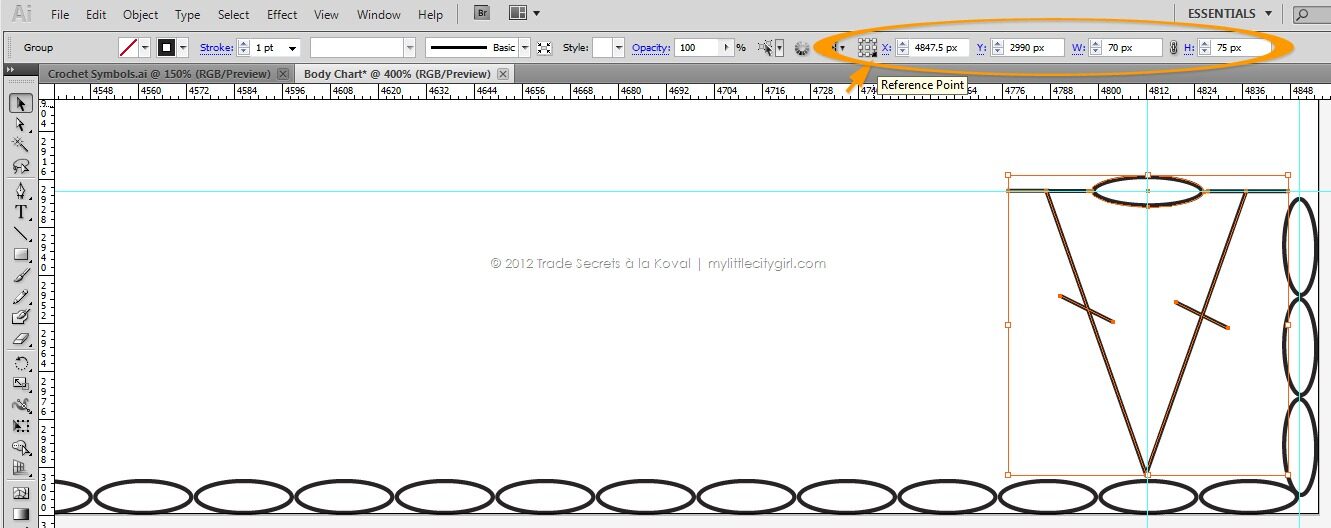
10 Set up blending options: Spacing > Specified Steps = 62. With Selection tool  select both V-sts. Then choose Object > Blend > Make. To make second row, duplicate layer Row 1 and change beg sts. To make short rows, duplicate 1st V-st by dragging Alt-drag (Windows) and then duplicate symbol as many times as need by Ctr + D.
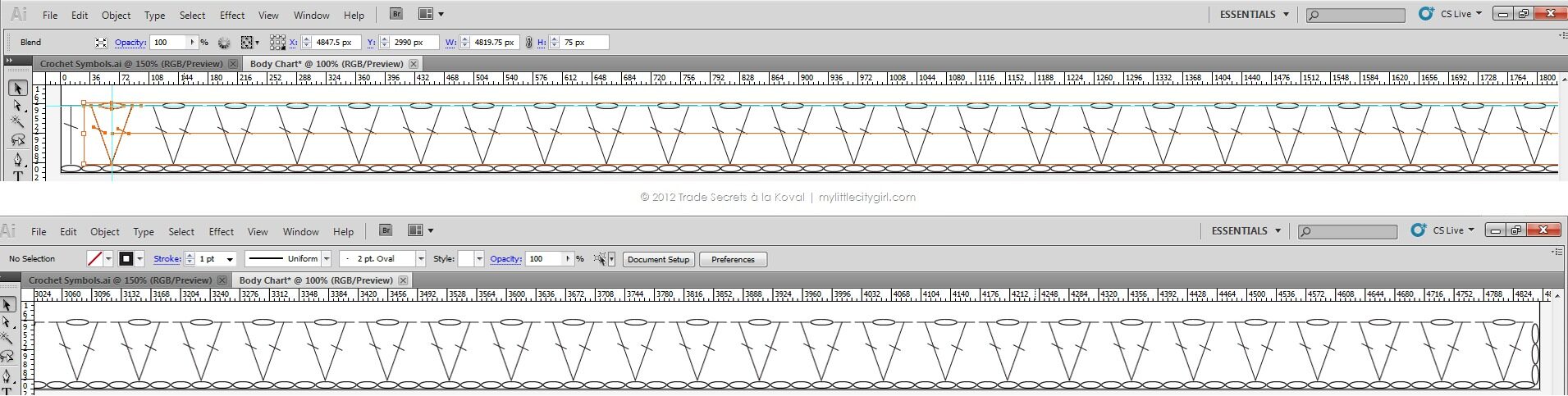
Looks as I’m completely hooked! ;o) To be continued…
Nothing is fun until you’re good at it.
Amy Chua







Lets Get Connected